
Plugin settings
All settings live on one page, Settings → agentprose (also linked as Settings from the Plugins screen). They are stored in a single option, agentprose. Each setting becomes a data-* attribute on the plugin’s script tag, the same attributes the script-tag install uses.
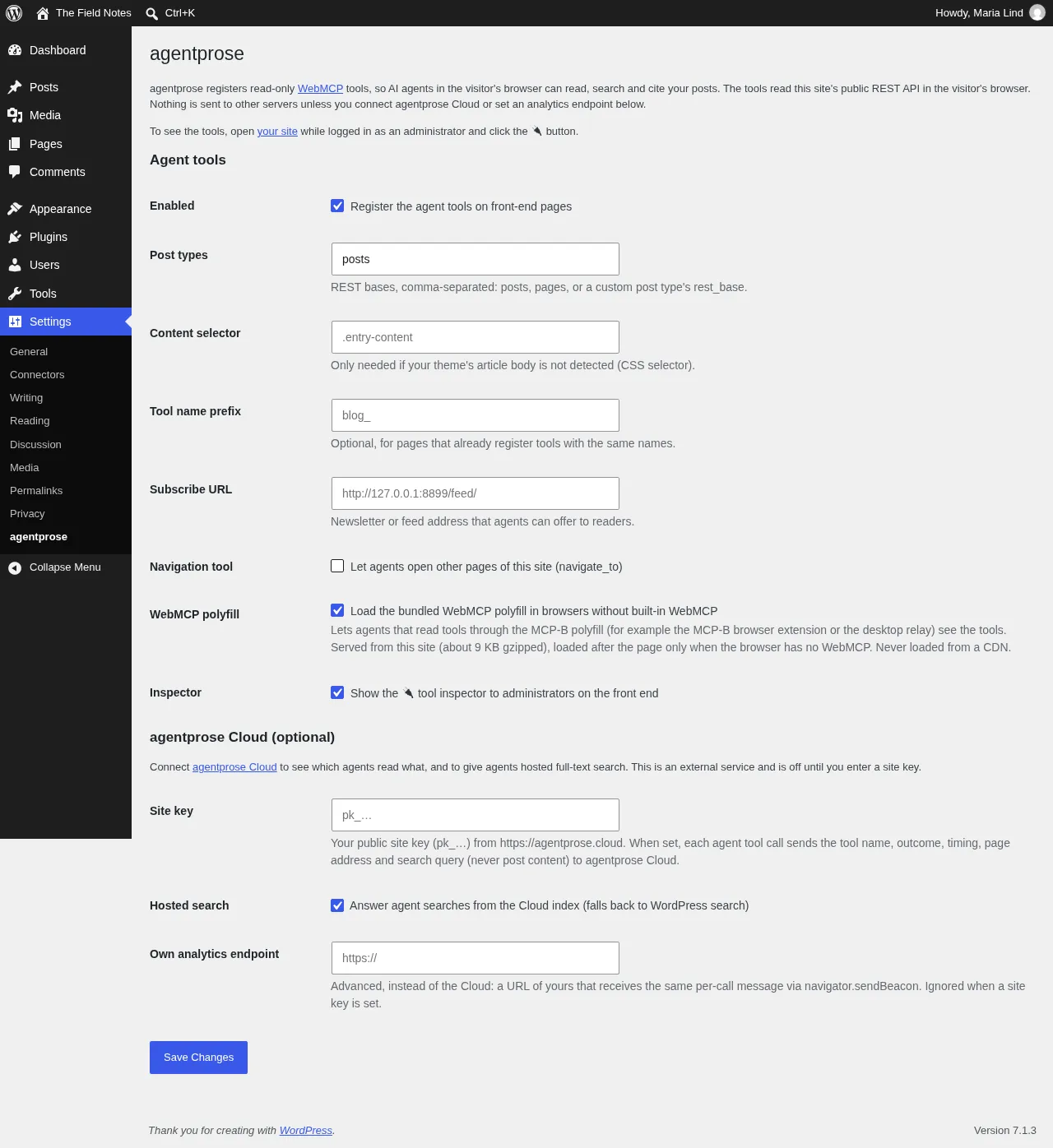
Agent tools
Section titled “Agent tools”| Setting | Default | What it does | Attribute |
|---|---|---|---|
| Enabled | on | Registers the agent tools on front-end pages. Off: the script isn’t enqueued at all. | (script enqueued) |
| Post types | posts |
REST bases, comma-separated: posts, pages, or a custom post type’s rest_base. The post type must have show_in_rest enabled. Letters, digits, _, - and commas are kept. |
data-types |
| Content selector | empty (auto) | CSS selector of the article body, only if your theme’s is not detected, for example .entry-content. |
data-content |
| Tool name prefix | empty | Prefix for every tool name (blog_ makes blog_search_posts), for pages that already register tools with the same names. |
data-prefix |
| Subscribe URL | empty | A newsletter or feed address agents can offer readers. Adds get_subscribe_link. |
data-subscribe |
| Navigation tool | off | Lets agents open other pages of this site (navigate_to, same-origin only). |
data-navigate |
| WebMCP polyfill | on | Loads the bundled MCP-B WebMCP polyfill in browsers without built-in WebMCP, from your own site (about 9 KB gzipped), after the page has loaded. Never from a CDN. | data-polyfill="<plugin url>/js/vendor/webmcp-polyfill.iife.js", or "false" |
| Inspector | on | Shows the 🔌 tool inspector to administrators (manage_options) on the front end. Visitors never see it. |
data-inspector (admins only) |
The plugin always sets data-adapter="wordpress" and data-api to your site’s REST URL (get_rest_url()), so the tools read your REST API directly.
agentprose Cloud (optional)
Section titled “agentprose Cloud (optional)”| Setting | Default | What it does | Attribute |
|---|---|---|---|
| Site key | empty | Your public site key (pk_…) from agentprose Cloud. A value that doesn’t look like pk_ plus 8–64 letters, digits, _ or - is rejected with a notice, and the previous key is kept. |
data-analytics="https://agentprose.cloud/v1/collect" and data-analytics-key |
| Hosted search | on | With a site key: answer agent searches from the Cloud index. Falls back to WordPress search if the request fails. | data-search-endpoint |
| Own analytics endpoint | empty | Advanced, instead of the Cloud: a URL of yours that receives the same per-call message. Ignored when a site key is set. | data-analytics |
What each mode sends is on Self-hosted or Cloud.
For developers
Section titled “For developers”-
Filter
agentprose_script_attributes: receives the attribute array (name ⇒ value,''for a bare attribute) and returns it, so you can add any script attribute, for exampledata-max-charsordata-exclude.add_filter( 'agentprose_script_attributes', function ( $attrs ) {$attrs['data-exclude'] = 'get_related_posts';return $attrs;} ); -
Filter
agentprose_cloud_urlor the constantAGENTPROSE_CLOUD_URL(inwp-config.php): point the plugin at a self-hosted Cloud instead ofhttps://agentprose.cloud.