
WordPress plugin
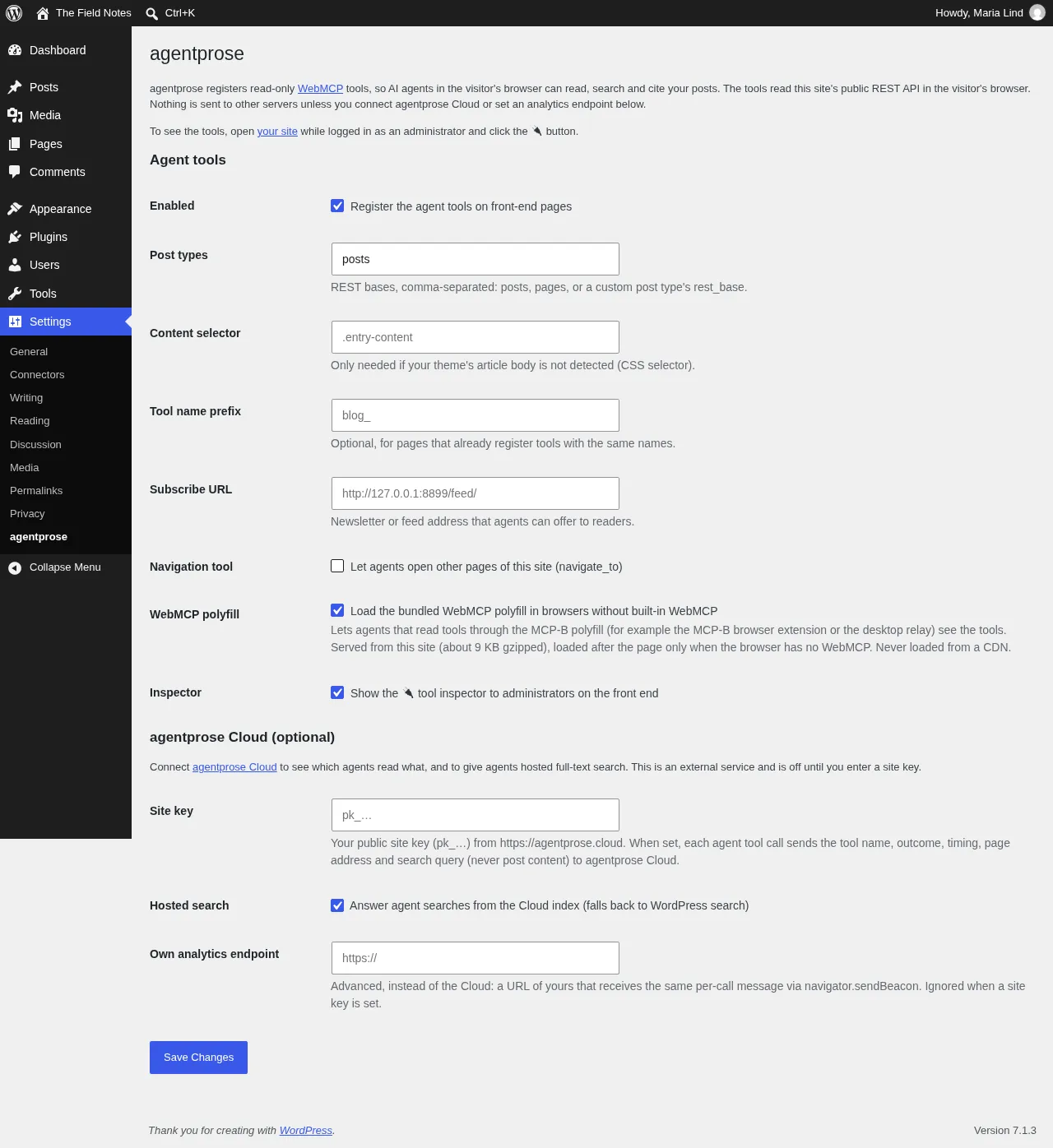
The agentprose plugin makes a WordPress site readable by AI agents in one click. It registers read-only WebMCP tools on your front-end pages, so an agent in the visitor’s browser can search your posts, read them as clean Markdown and quote them with a link that highlights the quote.
- Read-only, public data only. The tools read your own public REST API (
/wp/v2/posts,search,tags,categories,users), which any visitor can already read. - Nothing added on the server. No new endpoints, no tables, no cron. One option row stores the settings.
- No CDN. The script and the WebMCP polyfill are served from your own site, as wordpress.org requires.
- Nothing sent anywhere unless you connect agentprose Cloud or set your own analytics endpoint.
- Requires WordPress 6.3+ and PHP 7.4+. Tested up to WordPress 7.1. GPL-2.0-or-later.
Install
Section titled “Install”- Get the plugin. The plugin is in review for the wordpress.org directory under the slug
agentprose. Until it is listed, download agentprose-wordpress.zip: it is built from the released plugin source with the matching agentprose release and the pinned MCP-B polyfill inside. - Upload it. In wp-admin, go to Plugins → Add New Plugin → Upload Plugin, choose the zip and click Install Now. Once it is on wordpress.org, search for “agentprose” under Plugins → Add New Plugin instead.
- Activate. The tools are live on every front-end page.
- Check. While logged in as an administrator, open any post and click the 🔌 button to list and run the tools.
In this section
Section titled “In this section”SettingsEvery option on the settings page, and what it does to the page.
Self-hosted or CloudRun fully on your site, or add agentprose Cloud analytics and search.
What it adds to your pagesThe one script tag, the inspector, and the requests agents trigger.
Caching, CSP and uninstallOptimisers, security plugins, privacy text, and what removal leaves behind.
Plugin FAQCustom post types, theme detection, WebMCP Bridge, updates.
Plugin changelogEach plugin release and the agentprose version it bundles.
Plugin or script tag?
Section titled “Plugin or script tag?”Any WordPress site also works with the plain script tag: agentprose sees <link rel="https://api.w.org/"> and switches to the REST API on its own. The plugin adds a settings page, the admin-only inspector, local hosting of every file, and updates through the WordPress dashboard.
| Plugin | Script tag | |
|---|---|---|
| Install | Upload (soon: search) and activate | Paste into the theme |
| Script served from | Your site | jsDelivr or agentprose Cloud |
| Updates | A plugin version per library release, through Dashboard → Updates | Automatic with @0 |
| Settings page and admin inspector | Yes | ?agentprose-inspect |