
What the plugin adds to your pages
One script tag
Section titled “One script tag”On every front-end page (when Enabled is on), the plugin enqueues one deferred script in the <head>, with your settings as data-* attributes. With the defaults it looks like this (WordPress may order the attributes differently):
<script src="https://your-site.example/wp-content/plugins/agentprose/js/agentprose.min.js?ver=0.1.3" id="agentprose-js" defer data-adapter="wordpress" data-api="https://your-site.example/wp-json/" data-types="posts" data-polyfill="https://your-site.example/wp-content/plugins/agentprose/js/vendor/webmcp-polyfill.iife.js"></script>Administrators also get data-inspector, which adds the 🔌 button. That’s all: no stylesheet, no markup, no cookies, nothing in the admin bar.
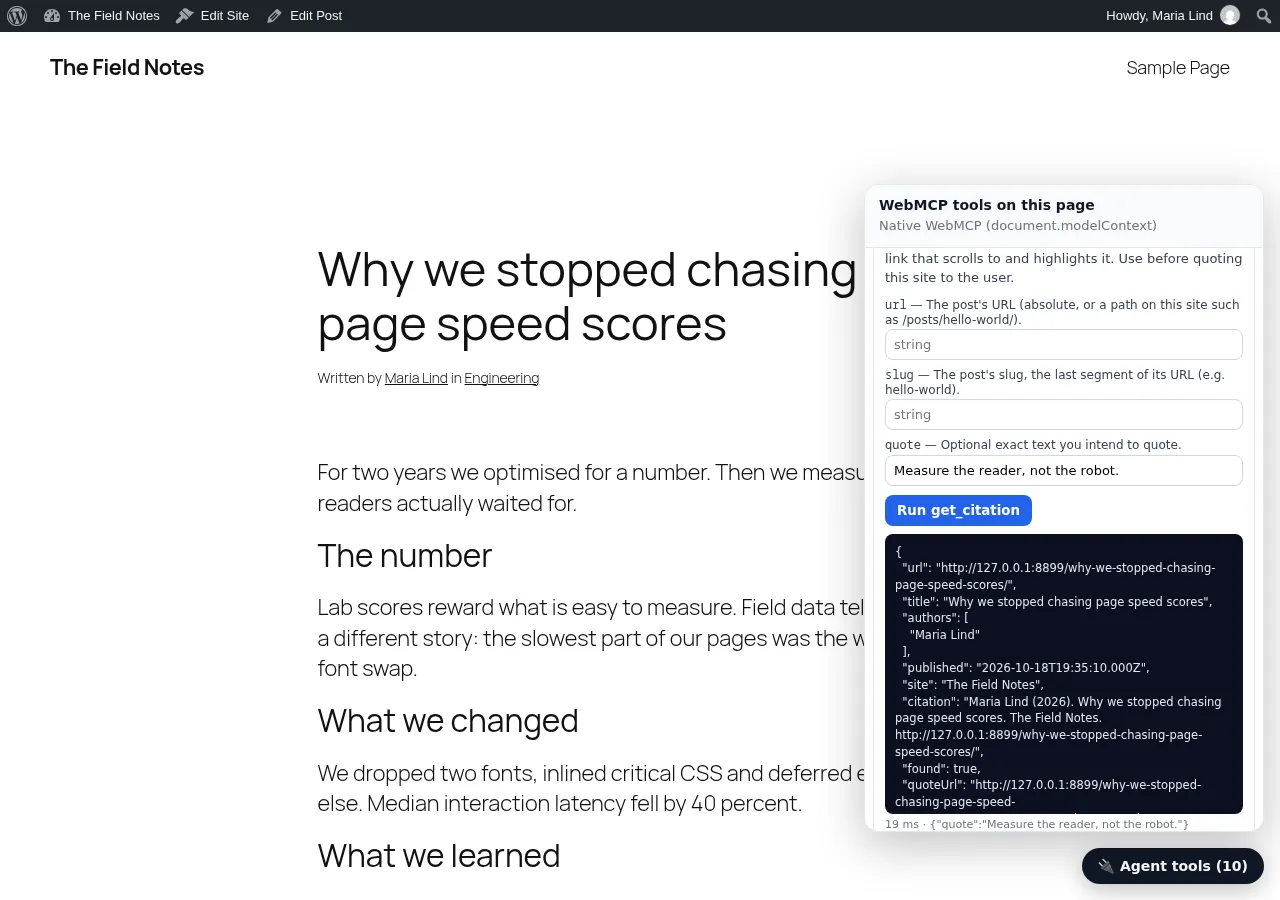
What happens in the visitor’s browser
Section titled “What happens in the visitor’s browser”- Page load: the script registers the tools with WebMCP. No network request.
- After
load, only if the browser has no WebMCP and the polyfill setting is on: the bundled MCP-B polyfill loads from your site. - When an agent calls a tool: the tool calls your REST API (
/wp/v2/posts,search,tags,categories,users) from the browser, the same public data any visitor can read. The first site-wide call also loads the engine file from the plugin folder. - With analytics configured: one small message per tool call (what’s in it).
Human visitors trigger none of steps 3 and 4: tools run only when an agent calls them.
Files the plugin ships
Section titled “Files the plugin ships”| Path | What |
|---|---|
js/agentprose.min.js, js/agentprose.index.min.js, js/agentprose.inspector.min.js, js/adapters/wordpress.min.js |
The agentprose browser build of the release named in the changelog, byte for byte |
js/vendor/webmcp-polyfill.iife.js |
@mcp-b/webmcp-polyfill 6.0.3 (MIT), unchanged |
includes/frontend.php, includes/admin.php |
Enqueue, settings page, privacy-policy text |
The JavaScript is built from the TypeScript source in github.com/webmaxru/agentprose; node wordpress-plugin/sync.mjs <version> copies a release into the plugin.
In wp-admin
Section titled “In wp-admin”- Settings → agentprose, and a Settings link on the Plugins screen.
- Settings → Privacy gets suggested privacy-policy text describing exactly what is sent and when (see Caching, CSP and uninstall).